Direct attached storage is data storage that is connected directly to a computer such as a PC or server, as opposed to storage that is connected to a computer over a network. Sometimes known as DAS, direct attached storage has an important role to play in many organizations’ storage strategy because of the specific benefits […]


Direct attached storage is data storage that is connected directly to a computer such as a PC or server, as opposed to storage that is connected to a computer over a network. Sometimes known as DAS, direct attached storage has an important role to play in many organizations’ storage strategy because of the specific benefits that it offers.
However, there are a number of disadvantages to direct attached storage, which means that it is not the best choice of storage in all circumstances. Let’s look in-depth.
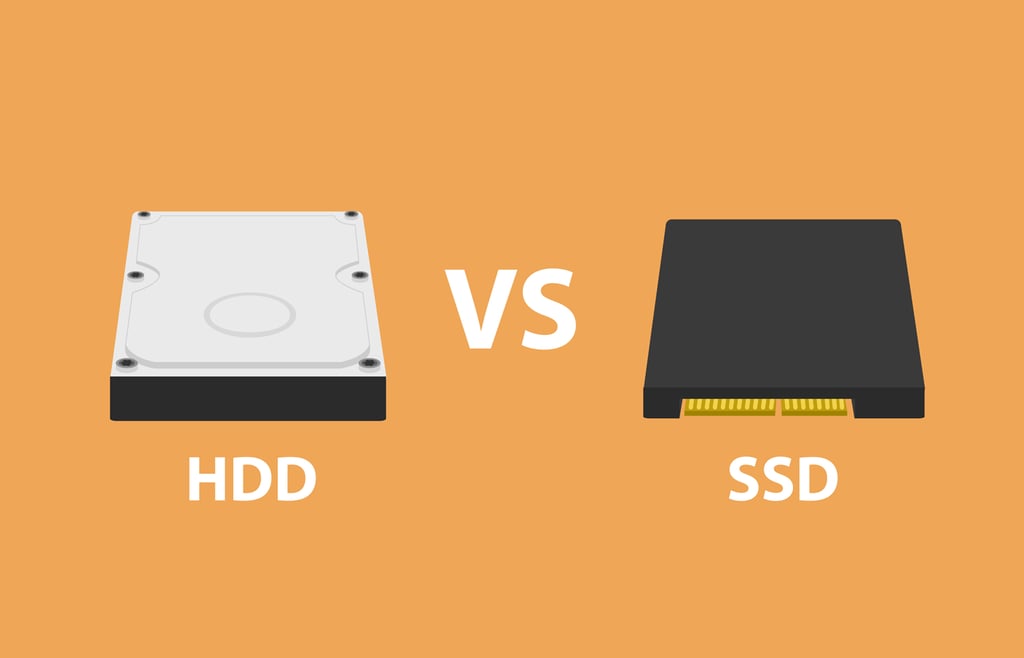
Almost every PC uses direct attached storage in the form of one or more internal storage drives, which may be traditional hard disk drives or faster solid state drives (SSDs), typically connected using a Serial Advanced Technology Attachment (SATA) interface.
Many servers are also equipped with internal storage drives, which may be connected using SATA, faster Small Computer System Interface (SCSI), Serial-Attached SCSI (SAS), or other high speed interfaces for better storage performance.
But direct attached storage does not have to be connected to a computer system internally. It also includes external drives or drive enclosures (which may contain multiple drives), typically connected using USB, eSATA, SAS or SCSI to an individual computer system.
The defining feature of all direct attached storage is that it is controlled by a single computer to which is is attached. That means that any other computer that needs to access the data stored on direct attached storage has to communicate with the computer it is attached to, rather than being able to access the data directly.
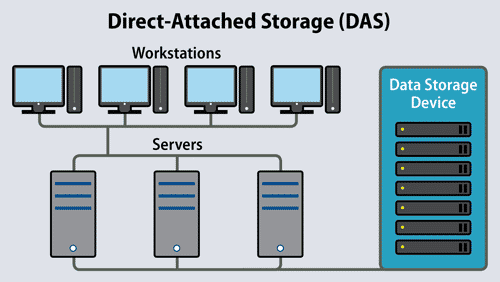
As the name suggest, Direct Attached Storage is closely connected to the computing device it servers, rather than use the more indirect network connection.
Direct attached storage architecture is very simple: PCs may access their own direct attached storage directly, or they can access data stored on direct attached storage connected to storage servers over a network. Direct attached storage is low cost, making it ideal for small businesses, which are unlikely to have rapidly expanding storage needs in the foreseeable future.
Other storage architectures such as those used with network attached storage (NAS) and storage area network (SAN) solutions are more complex, but offer benefits that direct attached storage cannot deliver.
It is not possible to make categorical statements about the performance differences between SAN, NAS, and DAS, because performance will always be affected by hardware and its configurations.
For example, a DAS setup which uses a number of high-speed SAS disks in a suitable RAID configuration will offer vastly superior performance to a DAS setup consisting of a single 5400 rpm IDE drive. However, it is possible to offer some general conclusions:
Storage area network solutions use a dedicated high speed data network (usually based on fibre channel or iSCSI) to move block-level data around the storage environment between servers and expensive – but fully featured – SAN storage arrays. The features that SAN arrays offer include deduplication, compression, encryption, and various availability services such as backup and site mirroring.
SANs offer very high storage performance, reliability, and data availability, but because SAN storage arrays are very expensive and require management by a storage specialist they are only suitable for large organizations with sizeable storage budgets and IT support teams.
Network attached storage consists of computer hardware (usually a storage appliance), storage devices such as hard drives, and software which manages the storage devices, arranges data backups and redundancy (usually through some RAID configuration), and provides networked access (as well as restricting access) to these devices (often through Active Directory).
The computer hardware is optimized for managing and providing access to data, and that means that NAS usually offers much better performance than direct attached storage in environments where data needs to be shared by a number of different users. NAS can also be scaled up very quickly simply by adding more NAS devices to the network.
This makes NAS ideal in small and medium-sized businesses where data often needs to be shared between groups of users, and where storage requirements may increase rapidly as the company grows.
The main drawback to NAS is that storage data is carried over the organization’s normal (usually Ethernet) data network. This means that network congestion and performance degradation can be significant if users are accessing large files or moving large amounts of data to and from the NAS.
Direct attached storage generally offers high storage performance to the computer system which it is directly attached to, because the data is located close to the system’s RAM and processor. And because it is not affected by network congestion, and because it can take advantage of fast computer bus interfaces such as SAS and SATA.
However, if DAS is attached to a storage server then data will still have to travel over a network to the computer system to request the data from the storage server, and that means that it will still be subject to network congestion.
| DAS | NAS | SAN | |
|---|---|---|---|
| Storage | Files | Files | Blocks |
| Connection | SAS, SATA, USB, eSATA etc | Ethernet | Fibre Channel, iSCSI |
| Accessed by | Attached computer system (Server or PC) | Server or PC | Server |
| Performance | High when attached to PC, Low when accessed from separate system | Medium | High |
| Cost | Low | Medium | High |
| Suitability for shared access | Low | High | High |
| Scalability | Low | Medium | High |
| Storage features | Few | Moderate | Many |
| Best for (company size) | Small | Medium | Large |
| Management complexity | Low | Medium | High |
| DAS | NAS | SAN | |
|---|---|---|---|
| Storage | Files | Files | Blocks |
| Connection | SAS, SATA, USB, eSATA etc | Ethernet | Fibre Channel, iSCSI |
| Accessed by | Attached computer system (Server or PC) | Server or PC | Server |
| Performance | High when attached to PC, Low when accessed from separate system | Medium | High |
| Cost | Low | Medium | High |
| Suitability for shared access | Low | High | High |
| Scalability | Low | Medium | High |
| Storage features | Few | Moderate | Many |
| Best for (company size) | Small | Medium | Large |
| Management complexity | Low | Medium | High |
Paul Rubens is a technology journalist based in England and is an eSecurity Planet and Datamation contributor.

Enterprise Storage Forum offers practical information on data storage and protection from several different perspectives: hardware, software, on-premises services and cloud services. It also includes storage security and deep looks into various storage technologies, including object storage and modern parallel file systems. ESF is an ideal website for enterprise storage admins, CTOs and storage architects to reference in order to stay informed about the latest products, services and trends in the storage industry.
Property of TechnologyAdvice. © 2026 TechnologyAdvice. All Rights Reserved
Advertiser Disclosure: Some of the products that appear on this site are from companies from which TechnologyAdvice receives compensation. This compensation may impact how and where products appear on this site including, for example, the order in which they appear. TechnologyAdvice does not include all companies or all types of products available in the marketplace.